USB-C Chargers: Choose for Your Devices, Not the Biggest Number
A practical comparison of single-port and multiport USB-C chargers, including power sharing, cable limits, and desk versus travel use.
This guide draws on published documentation and practical use cases, not hands-on testing. It contains no paid product placements or affiliate shopping links. How we work · Affiliate Disclosure
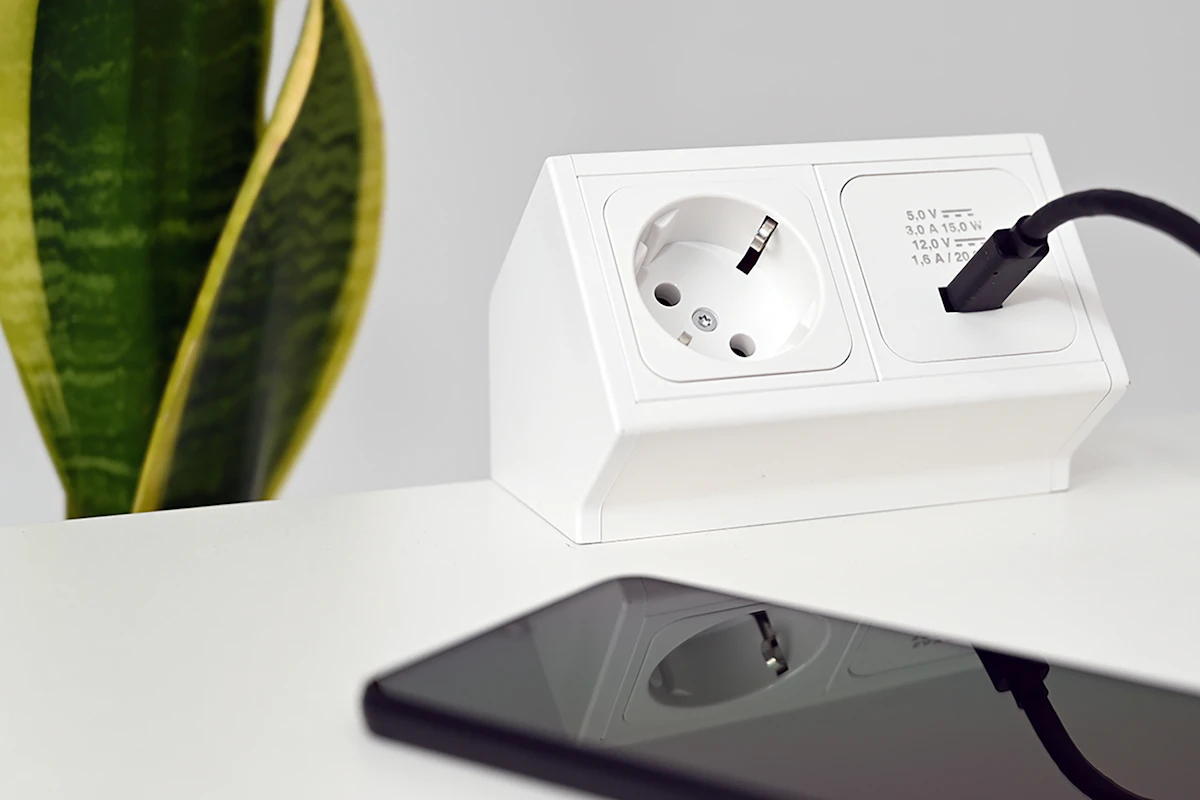
Match the charger's per-port output and supported charging protocols to your devices before paying for more ports or more watts.
In this guide
Your phone is charging beside the sofa, your laptop battery is low, and the only spare outlet is behind a chair. A multiport charger sounds like the obvious solution. It can be, but the large wattage printed on the box does not tell you how much power the laptop receives when every socket is occupied.
Our assessment favors a simple single-port charger for a dedicated device and a clearly documented multiport charger for a shared routine. The decision should start with what you charge together. Compact size and a high maximum output are secondary to compatibility and useful power allocation.
Three different numbers to understand
First, find the power your device supports or recommends. A phone and a laptop can use the same connector while having very different needs. Second, read the maximum output of the specific charger port you plan to use. Third, check the combined output and allocation when other ports are occupied.
Imagine a charger described as 100 watts that supplies a hypothetical 65 watts to its first port when another device is connected. That might suit a laptop with a matching requirement. It might also be insufficient for a different laptop under a demanding workload. The example illustrates power sharing; it is not a specification for a particular charger.
USB Power Delivery provides a framework for compatible devices to negotiate power. A higher-capacity compliant adapter does not simply force its maximum output into the device. Apple, for example, permits higher- or lower-wattage USB PD adapters for compatible Macs while recommending appropriate wattage for the best charging experience. That guidance does not mean every laptop accepts every USB-C charger.
Which arrangement fits your day?
| Everyday situation | Sensible charger type | Main compromise |
|---|---|---|
| One phone stays beside the bed | Single USB-C port matched to the phone | No spare port for a visitor |
| Laptop and phone share a desk | Two ports with a clear power-sharing table | Laptop output may fall during simultaneous use |
| Several small devices charge overnight | Multiport charger with suitable individual outputs | More ports do not guarantee fast charging on each |
| Laptop travels between offices | Compact charger with sufficient single-port output | A heavier model may be needed for demanding laptops |
These are fit judgments, not speed rankings. Charging behavior also depends on battery level, temperature, device settings, and the cable.
Read the small print before choosing
Look for USB PD support and any additional charging protocol your device specifically requires, such as PPS where applicable. A claim of “fast charging” without a compatible-device explanation is less useful than a table showing supported output profiles.
Next, look for the simultaneous-use table. Some chargers redistribute power when a cable is inserted or removed. Whether that briefly interrupts a connected device depends on the design. If a portable monitor, hub, or other accessory must stay powered, check the manufacturer’s description instead of assuming uninterrupted operation.
The physical arrangement matters too. Closely spaced sockets can make bulky plugs awkward. A large wall-mounted body may obstruct the neighboring outlet or sit poorly in a loose socket. A charger with a separate mains cable gives more placement flexibility at a desk, but adds something else to pack.
A compact gallium-nitride design can be appealing, yet the semiconductor label alone is not a complete assessment of build quality, temperature, or safety. Look for clear manufacturer identification, the correct local plug, relevant compliance information, and accessible documentation.
Do not forget the cable
The cable has its own power capability. Pairing a capable adapter with an unsuitable cable can limit the result. Charging wattage also tells you nothing about the cable’s ability to move files or carry video. Our USB-C cable comparison explains those separate requirements.
Before replacing an adapter that seems slow, try the device’s supported cable and charging arrangement. Check whether other connected devices have changed the available output. This can reveal an allocation problem without adding another charger to the drawer.
Who should skip an upgrade?
Keep your current charger if it reliably supports your routine and you do not need another charging location. Extra output is not automatically extra speed. Someone charging a phone overnight may gain more from a convenient cable length than from a substantially larger adapter.
Skip a large multiport unit if you usually carry only one device. For time away from outlets, a power bank solves a different problem; another wall charger does not.
Frequently asked questions
Will a laptop charger charge a phone?
Often, when the charger, phone, and cable support compatible USB charging standards. Confirm compatibility in the phone’s documentation. The phone determines the power it can accept.
Can every USB-C socket charge a laptop?
No. Connector shape does not establish charging support or sufficient output. Check both the laptop port and the charger’s specification.
Is a charger with more ports better value?
Only if those ports are useful together. Compare the configuration you will actually use, including the power left for your highest-demand device.
Sources and scope
Technical references checked October 21, 2026: USB-IF’s USB Power Delivery overview and Apple’s power-adapter compatibility guidance. Scenario recommendations are GearPlain’s editorial interpretation of these principles; no charging-speed measurements are claimed.
Keep exploring
Car USB Chargers: Build a Charging Setup That Fits the Journey
Compare built-in vehicle ports, socket chargers, and passenger charging layouts by power, infotainment compatibility, cable routing, and everyday convenience.
Read the guide
Magnetic Power Banks: When the Snap-On Convenience Is Worth It
Assess magnetic power banks by phone and case compatibility, physical fit, usable energy, wired options, and the realities of carrying a thicker phone.
Read the guide
Multi-Device Charging Stations: One Stand or Separate Chargers?
Compare combined phone, watch, and earbud charging stations with separate chargers, including compatibility, daily schedules, portability, and replacement flexibility.
Read the guide