USB Microphones Compared: Clearer Calls Without a Studio
Compare USB microphone types, pickup patterns, placement, and desk requirements for meetings, voiceovers, and everyday recording.
This guide draws on published documentation and practical use cases, not hands-on testing. It contains no paid product placements or affiliate shopping links. How we work · Affiliate Disclosure
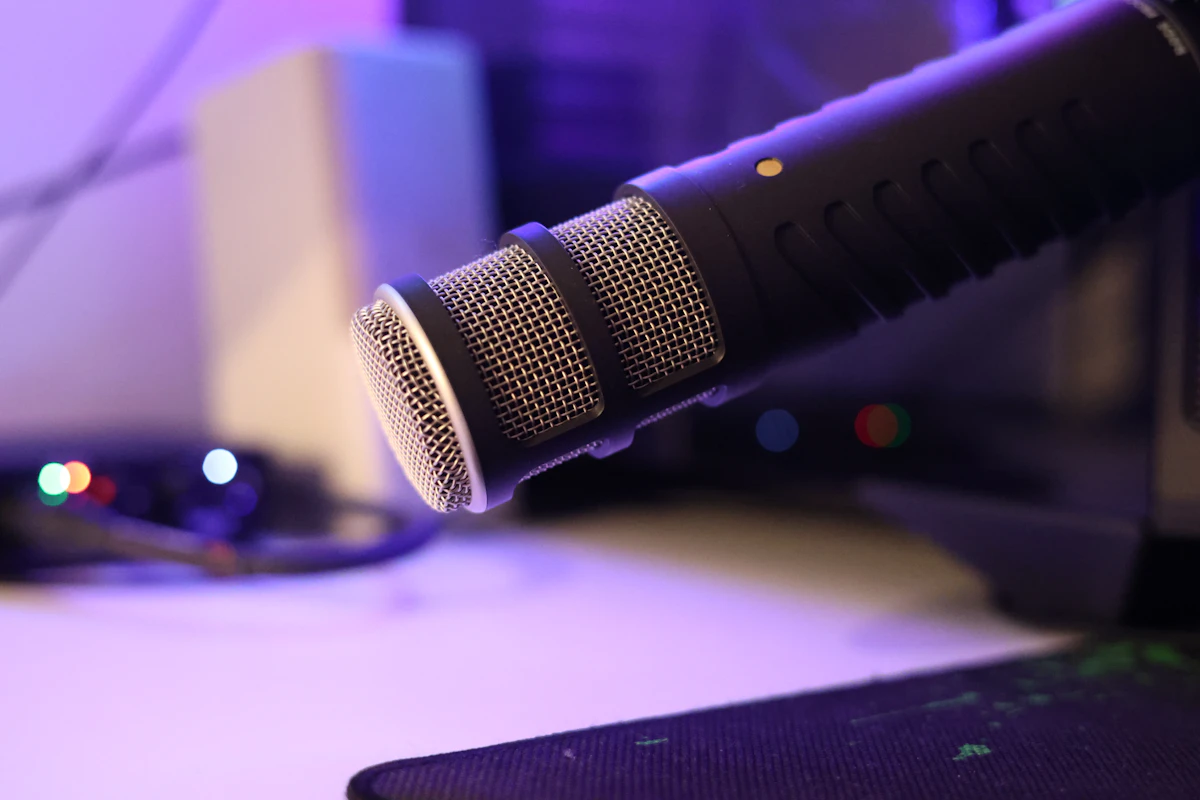
Choose a microphone you can position consistently near your voice; room noise and placement matter more than a studio-style appearance.
In this guide
You join a meeting from a spare bedroom. The laptop camera looks fine, but colleagues hear the keyboard, the room, and a voice that seems farther away than it should. A large USB microphone promises an upgrade. Whether it delivers depends partly on where it will sit during the call.
For a person speaking at a desk, the most useful comparison is between a microphone that can stay near the mouth and one that must remain beyond the keyboard. A new microphone across the desk still has to capture speech across the desk. This guide evaluates published design principles and practical setup choices, without claiming listening tests of specific models.
Dynamic and condenser are not quality rankings
Dynamic and condenser microphones use different transducer designs. Either can be part of a useful USB setup. Condenser designs are common in compact desktop microphones; dynamic designs are common in microphones intended for close speech. Neither label, by itself, guarantees that household noise disappears.
Shure’s educational guidance emphasizes the relationship between voice, background sound, room reflections, and distance. Moving the microphone closer can improve the balance of direct speech to unwanted sound. Pickup pattern matters too, but it cannot replace suitable positioning. Those principles are more useful than treating one microphone category as universally superior.
| Setup | A sensible use | Main compromise | What to check |
|---|---|---|---|
| Close-positioned USB dynamic microphone | Solo narration or a fixed calling desk | Needs room near the speaker | Stand reach and speaking direction |
| USB condenser on an adjustable stand | Speech or other recording in a controlled room | Placement and room sound remain important | Pickup pattern and gain controls |
| Small desktop conference microphone | Several people around a table | Captures a broader shared space | Intended meeting size and processing |
| Existing headset microphone | Calls while moving or turning frequently | May be less flexible for other recording | Comfort and actual call quality |
Choose the pickup pattern for the people involved
A cardioid pattern favors sound from the front relative to other directions. It is a reasonable starting point for one speaker, provided you identify the microphone’s actual front. Some microphones take sound from the side of the body; others are addressed at the end. Pointing the decorative top toward your face is not a reliable setup method.
An omnidirectional mode collects sound from around the microphone. That can be useful when the purpose is to capture several people, but it also changes what the recording includes. A multi-pattern selector is valuable only if you have a reason to use those patterns.
Before choosing, sketch where your head, monitor, keyboard, and microphone will be. If the microphone must hide behind a screen, reconsider the layout. For camera placement alongside audio, see our webcam comparison.
The stand is part of the microphone decision
A short desk stand may leave the microphone low and far away. A boom arm can bring it closer, but the desk must accept the clamp and support the arrangement. Check the desk edge, nearby drawers, monitor movement, and the arm’s reach before adding hardware.
Also consider what happens when you type or adjust the microphone. A stand sitting beside the keyboard can transmit movement into the setup. Do a short recording while carrying out your real routine: speaking, typing, turning to another screen, and moving a cup. Listening to that recording is more useful than assessing the microphone only while sitting perfectly still.
Look for controls you will actually use. A visible mute state and accessible level adjustment can matter during calls. If monitoring your voice through headphones is important, confirm how the microphone provides that function and how it interacts with your recording software. Avoid paying for elaborate lighting or extra patterns simply because they look impressive.
Check software and connection requirements
Verify support for your operating system and intended app. Distinguish basic USB audio operation from features that require the manufacturer’s software. On a managed work computer, installing an extra app may not be an option.
For a phone or tablet, confirm compatibility separately rather than assuming that a matching connector is enough. A hub also introduces another connection to check; our USB-C hub guide explains why port shape alone does not settle capability.
Who should skip the upgrade?
Keep a headset that already makes you clearly understandable if meetings are your only use. It may suit a person who frequently turns away from the screen better than a fixed microphone. Likewise, first address an obvious noise source or an unsuitable room before expecting new hardware to solve it.
For occasional voice notes, make a sample with the equipment you own. Upgrade when you can name the missing capability: better placement, accessible controls, or a recording workflow that the current setup cannot support.
Frequently asked questions
Will a dynamic microphone remove keyboard noise?
Not automatically. Distance, direction, keyboard placement, and processing all affect what is captured. Compare recordings made during normal use.
Do I need several recording patterns?
Usually not for a single person speaking from one position. Choose additional patterns for a specific recording need.
Is a microphone useful if the internet call sounds broken?
It will not fix a poor network connection. Compare Ethernet and Wi-Fi when the problem is interruption rather than voice pickup.
Sources
Shure’s microphone-selection guidance and microphone-placement explanation support the distinctions between microphone design, distance, and room sound. Sources checked October 21, 2026.
Keep exploring
Bluetooth Audio Adapters: Get the Direction Right
Understand transmitters, receivers, audio inputs, microphone support and pairing before adding Bluetooth to older audio equipment.
Read the guide
Computer Speakers vs Soundbars: Audio That Fits Your Desk
Compare separate desktop speakers and compact soundbars by placement, connections, controls and the way you actually use your desk.
Read the guide
Earbuds vs. Over-Ear Headphones: Choose for the Hours You Actually Listen
Compare earbuds and over-ear headphones for commuting, desk calls, travel, comfort, portability, and the fit details that change everyday listening.
Read the guide